
Imagine upgrading 50 classrooms with new interactive screens and Wi-Fi. Does your IT team have 50 days to set up the network one room at a time, or only five? In practice, relying on manual configuration for educational technology drains school budgets. Moving room to room requires hours of labor per classroom, and this tedious process inevitably introduces human error. A single mistyped setting often causes frustrating connectivity drops during critical lessons.
To eliminate these delays, administrators are adopting a streamlined digital rollout. Batch deployment solutions for PoE switches fundamentally change how educational networks are built. IT professionals now use a central management blueprint to configure dozens of power-and-internet hubs simultaneously. Industry data reveals this method transitions setup from hours per room to mere minutes, drastically reducing deployment time for school IT infrastructure while safeguarding your budget.
Power and Internet in One: Why PoE Switches are the Bedrock of Modern Learning
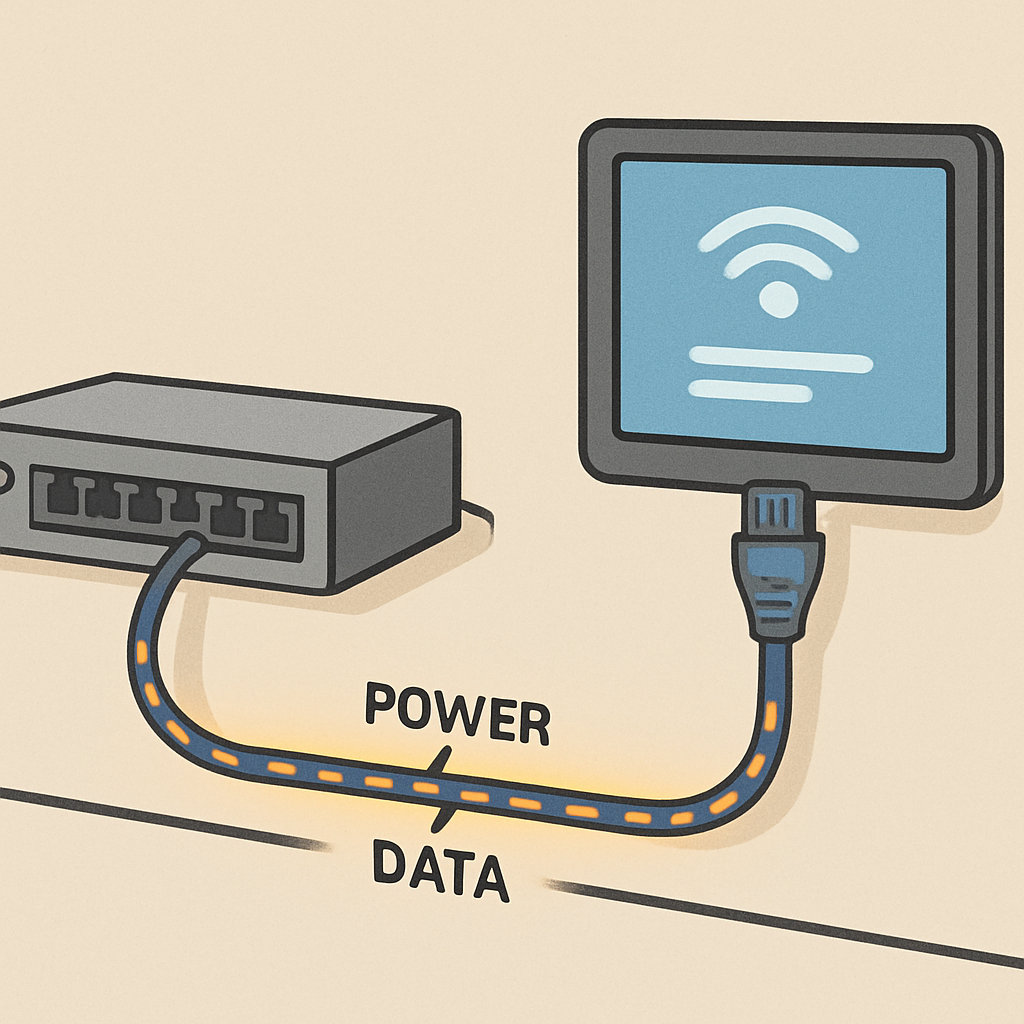
Upgrading technology often reveals a hidden, expensive problem: lacking power outlets for ceiling cameras or Wi-Fi hubs. Administrators frequently ask why use PoE for smart classroom infrastructure—and the answer is simple. Power over Ethernet (PoE) acts like a 2-in-1 solution, sending both internet data and electricity through one standard cable. Instead of paying electricians to install new wall outlets, your IT team simply connects devices to smart classroom PoE switches. Beyond saving thousands in electrical labor, this approach is much safer for student environments because it relies on low-voltage cabling.
Behind the scenes, these devices act as intelligent hubs. They use port power allocation to automatically send the exact electricity needed to each plug-in point. This single-cable magic seamlessly supports common classroom devices powered by PoE:
Interactive Flat Panels
Wireless Access Points
IP Cameras
Digital Clocks
While powering these tools is simple, manual programming remains a massive time-sink. Batch configuration solves this by eliminating repetitive human error.
The 'Copy-Paste' Strategy: How Batch Configuration Eliminates Human Error
Imagine a district upgrading fifty rooms. If the IT team manually programs every network hub, human error is inevitable, leading to frustrating downtime during crucial lessons. To avoid this, school leaders often ask how to automate PoE switch configuration for schools to save valuable time. The answer is a digital blueprint. IT staff create one perfect, error-free setup—a "Golden Image"—for a single classroom. Then, they simply copy and paste that master blueprint across dozens of switches simultaneously, ensuring every room receives the exact same reliable foundation.
This identical setup guarantees that every room functions predictably, making future technical support dramatically faster since technicians never have to guess how a specific room was wired. Furthermore, centralized management for large-scale classroom network upgrades allows administrators to push essential updates instantly. With one click, your team can apply vital network security protocols for smart classroom IoT devices district-wide, keeping student data completely safe from vulnerabilities. Eliminating these bottlenecks entirely relies on zero-touch provisioning, which brings classrooms online without requiring on-site IT staff.
Zero-Touch Provisioning: Getting Classrooms Online Without On-Site IT
When IT teams manage multiple campuses, sending a technician across town just to configure a device—known as a costly "truck roll"—drains time and budgets. Fortunately, zero-touch provisioning for campus networking acts like automated plug-and-play for enterprise-grade hardware. Schools can rely on cloud-managed networking solutions for K-12 districts to handle this heavy lifting remotely.
Just like files syncing automatically through cloud storage, this setup requires three simple steps:
Pre-configure in the cloud: IT assigns the network blueprint online before the equipment even ships.
Physical installation: A local teacher or custodian simply plugs the device into the wall.
Automatic download: The equipment connects to the internet and instantly retrieves its correct settings.
Daily maintenance becomes just as effortless. If the internet freezes during testing week, administrators can use remote power cycling for classroom wireless access points. By tapping a smartphone button, IT can instantly restart a device without ever entering the room. As network infrastructure evolves, districts must scale their hardware to support high-bandwidth applications like 4K displays and smart labs.
Beyond the Basics: Preparing Your Infrastructure for 4K Displays and Smart Labs
Upgrading to smart labs demands scalable hardware for future-proofing school networks. Think of older networking cables as garden hoses delivering a trickle of electricity for basic cameras. Conversely, optimizing network bandwidth for digital learning environments and powering massive displays requires high-octane energy. This heavy-lifting capability is provided by IEEE 802.3bt power standards for interactive flat panels. By demanding this standard inside managed switches—which provide essential remote control, unlike basic unmanaged models—schools prevent their expensive investments from becoming obsolete within two years.
Understanding hardware limits is equally crucial before plugging everything in. Effective enterprise-grade PoE budget planning for classroom devices acts like balancing a household electrical panel, ensuring your central network hub never runs out of power when multiple screens activate simultaneously. With properly scaled electrical foundations established, schools can implement a straightforward roadmap for stress-free network upgrades.
Your 3-Step Plan for a Stress-Free Classroom Network Upgrade
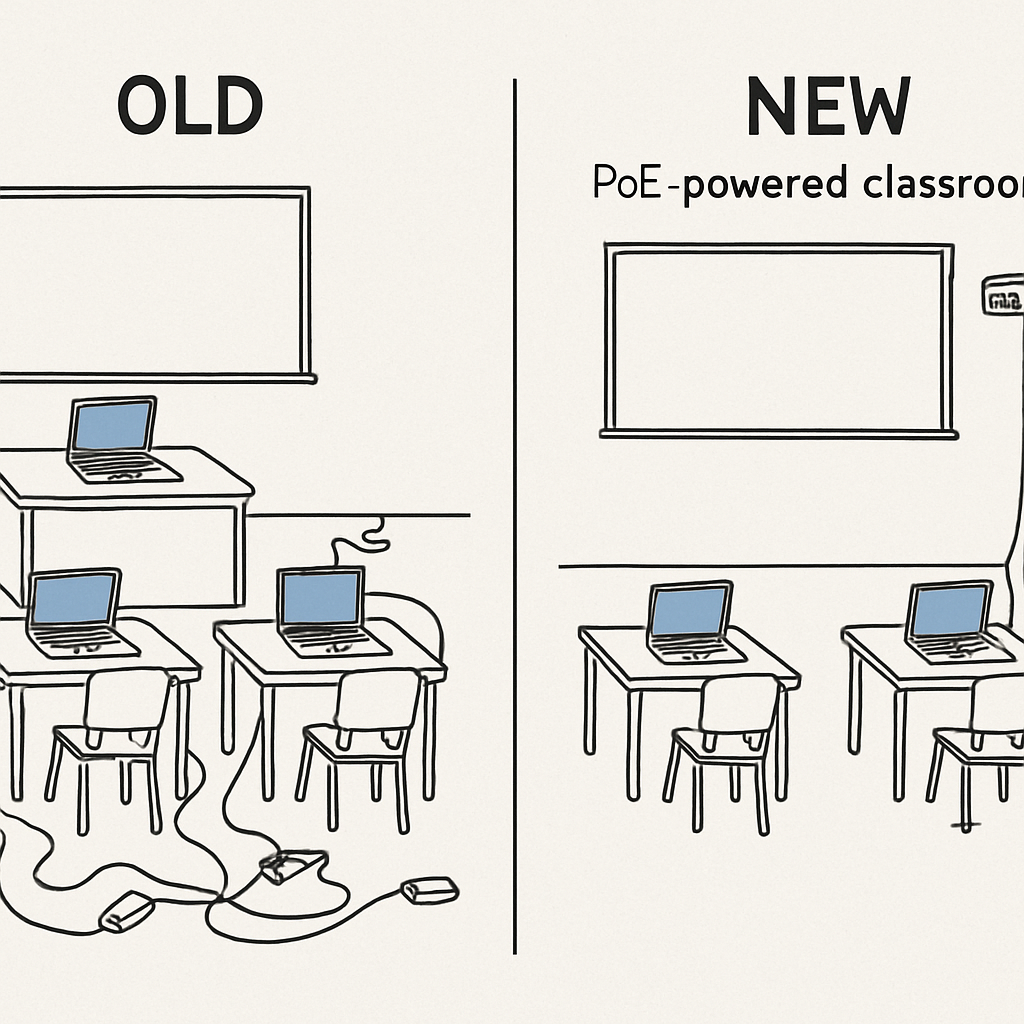
Before, upgrading meant weeks of tangled wires and manual setup. Now, batch deployment solutions for PoE switches transform hundreds of labor hours into minutes. Navigating managed vs unmanaged switches for educational facilities guarantees maximum network uptime. Execute a stress-free modernization project by following this roadmap:
Audit current devices: Understand your specific power and bandwidth requirements.
Define the standard classroom configuration: Include high-density PoE port allocation for smart labs and interactive panels.
Select batch-ready hardware: Prioritize managed switches with zero-touch provisioning and centralized control capabilities.
Ultimately, perfect technology should disappear so teaching can happen. Lead your campus upgrade today to ensure educators can utilize new digital tools without frustration. When the network simply works behind the scenes, the focus stays exactly where it belongs: on empowering the students' learning experience.